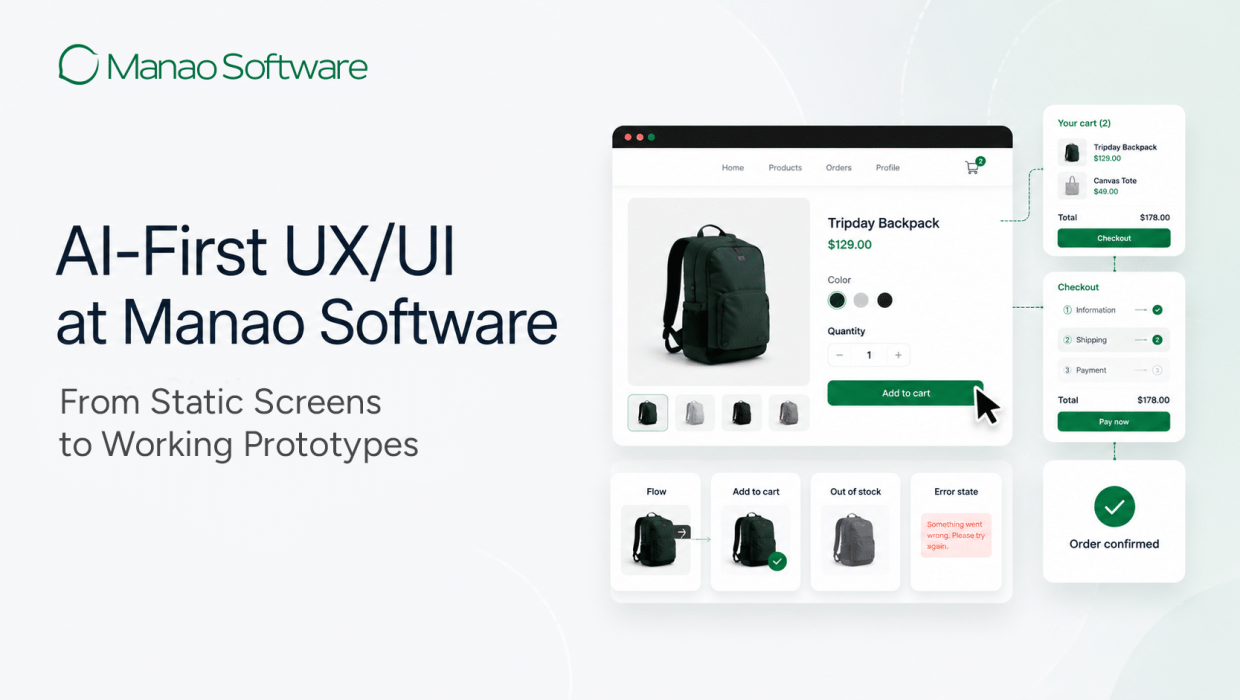
How we make product ideas visible, testable and easier to estimate before development begins
Our first design deliverable is no longer a set of static screens. It is a working, clickable prototype.
That sounds like a small change. In practice it moves the hardest conversations in a software project, what happens when there is no data, when something fails, when two roles need different permissions, from month three to week one.
For years, clients had to review wireframes and imagine the rest. A screen could look clear in a presentation and still hide the questions that mattered. Those questions surfaced after development had started, when answering them was expensive.
At Manao Software, we use AI-assisted tools to turn requirements, business rules and early ideas into code-based prototypes that clients and our delivery teams can explore in the first days of a project.
AI-first does not mean AI makes the design decisions. It means we use AI early to explore possible solutions, make our assumptions visible, and create something concrete that people can challenge.
It also does not replace research. When a project needs interviews, field research or usability testing with real users, those activities stay in the process.
AI helps us move from an unclear idea to something testable faster. Human judgment still decides whether the solution is right.
“If you build it that fast, are you thinking less?”
This is the first question we get, and it is a fair one.
The honest answer is that AI removed the production time, not the thinking time. Drawing the screens used to be the slow part. Now framing the problem is. A vague brief will produce a polished answer to the wrong question in about four minutes, and it looks convincing enough that nobody catches it in the review.
So the thinking has not shrunk. It has moved earlier and it carries more weight, because a bad assumption now travels much faster than it used to.
Where the linear process broke down
The traditional UX/UI process ran in one direction: research, wireframes, high-fidelity design, prototype, handoff, development.
Each stage showed only part of the product. A wireframe showed structure. A high-fidelity screen showed visual direction. A prototype connected selected screens. Clients had to imagine the rest, and a stakeholder can approve a static screen without understanding how it will behave.
Change was expensive too. When a requirement moved, designers updated screens, states and prototype links by hand. In a large file it was easy to miss an instance, leave an outdated version behind, or let two related flows drift apart.
We work in a loop, not a line
Our process runs as a repeated loop of six steps. The order is stable; the depth depends on the project.

1. Frame the problem
Before generating anything, we establish intent:
- Who is the user? What are they trying to complete?
- What information do they already have?
- What business rules apply?
- What technical constraints do we already know?
- What should happen when the process succeeds or fails?
When the client is still unsure about the flow, we do not wait. We build structured assumptions from the available requirements, business context and user needs, then turn them into a clickable proposal.
The purpose is not to pretend we already know every answer. It is to make our thinking visible so the client and our internal teams can correct it.
2. Build a working prototype
We build a mid-fidelity prototype as a working, clickable experience rather than a set of static rectangles. It demonstrates:
- Navigation and real interactions
- Empty, loading and error states
- Validation feedback and confirmation states
- Simulated roles and permissions
- Alternative and exception paths
On workflow-heavy projects we produce a testable direction within the first few days. That is not a finished design. It is something meaningful to argue with.
3. Critique before presenting
Speed does not guarantee quality. Before anything reaches the client, the designer asks:
- Is the hierarchy clear?
- Does the flow make sense to the user?
- Is too much shown at once?
- Is the language understandable?
- Are the important actions visible?
- Are the main edge cases covered?
- Does this solve the business problem?
This is where design judgment becomes the quality gate. AI suggests familiar patterns; it does not understand the client’s organisation, pressures, users or long-term goals. Our job is to question the first result, improve it, and sometimes reject something that already looks finished.
4. Refine against real business material
We do not generate several attractive options and ask the client to pick one. We improve the prototype round after round against the material they already use: existing forms, reports, spreadsheets, process documents, approval rules, current system screenshots, and real examples of inputs and outputs.
That is what stops the product becoming another generic dashboard.
On a recent permit-to-work system for an industrial client, we started from a stack of process documents and a partially defined requirement list, no complete user journey. We turned it into a working flow covering 27 screens and 6 user roles that business analysts, designers and developers could review together.
Once the process was visible, the team found missing logic, unclear approval ownership and unhandled exception paths before implementation began. The prototype stopped being a design deliverable and became a shared tool for understanding the business.
5. Comment directly on the experience
Review happens on the prototype itself, the same way clients are used to commenting in Figma, a note placed directly on the screen, component or interaction in question.

6. Prepare for implementation
A working prototype is not production-ready front-end code. It still needs engineering review for feasibility, security, accessibility, performance, scalability and maintainability.
But it gives developers far more than static screens. The intended behaviour is visible. Connections between steps can be tested. Reusable patterns are identifiable. Missing states surface earlier.
Depending on the technology stack, parts of the prototype may provide a starting point for production development. Engineering decides what is reused, strengthened or rebuilt.
Design systems start in code
We now develop the component foundation during the design phase. Buttons, form controls, tables, cards, navigation patterns and interface states are built as functional components while the experience is still being explored, rather than living only in a separate design file.
This lets us test responsive behaviour, spacing, states and interactions earlier, and it gets designers and developers speaking the same component language before implementation starts.
It also changes the cost of iteration. In a screen-based process, one changed requirement means updating many screens, states and prototype links; even a well-maintained Figma file accumulates local overrides, detached instances and forgotten screens. With shared code components, a change to a button, form field, table pattern, validation state or navigation behaviour applies everywhere at once.
Human review is still required, a systematic update can be technically consistent and wrong in a specific context. The difference is that designers spend less time verifying that every frame was updated and more time judging whether the revised solution works.
A complete design system needs more than code: principles, accessibility standards, documentation, governance and clear ownership. The prototype components are a starting point for the production library, not a replacement for it.

Figma still has an important role
AI-first does not mean Figma-free.
Figma remains the right tool for:
- Detailed visual composition
- Brand expression and art direction
- Typography-led marketing pages
- Complex motion planning
- Visual exploration on a flexible canvas
- Design documentation for client-owned teams
Code-based prototypes win when the challenge is workflow, business logic, interaction and early technical alignment. Figma wins when precise visual control is the deliverable. We choose the tool based on the problem.
Better prototypes, better-informed estimates
A proposal describes a product through text, feature lists and assumptions. Even a detailed document gets read differently by different people. The client pictures one experience; members of the delivery team picture others.
The gap only appears after the project starts, as additional workflows, missing states, unplanned user roles or more technical complexity than expected. That expands scope, moves the timeline and costs the client money.
A working prototype closes the gap before the estimate is signed. Our delivery teams identify dependencies, complex rules, missing states and delivery risks while there is still time to price them, and the reusable components show them what the front-end work actually looks like.
No early estimate removes every unknown from a complex software project. But a shared prototype reduces the buffer we carry for unclear requirements, and it lowers the risk of scope expansion caused by assumptions nobody validated at the start.
The purpose is not to promise that a software project will never change. It is to make more of the important decisions visible before the client commits to the full investment.
The difficult part has moved
AI has not removed the hard parts of product design. It has relocated them.
Production time is no longer the main constraint. The constraints now are:
• Framing the right problem
• Getting accurate business and user information
• Challenging attractive but shallow output
• Maintaining component and design-system discipline
• Involving the right people early
• Applying human judgment
What we have gained is real: something concrete in front of clients and delivery teams in the first week, incomplete requirements turned into experiences people can challenge, design-system thinking that starts during design instead of after handoff, and estimates built on evidence rather than interpretation.
What has not changed is who decides. AI accelerates the work and makes iteration systematic. Designers, clients and delivery teams still judge whether the solution is clear, responsible, valuable and worth building.
Let’s discuss how AI-augmented delivery can accelerate your next project. Contact Manao Software.